
AI course generation
Turn your manuals and PDFs into training courses with AI
Upload the material you already use and Simón writes the course with instructional design: syllabus, 60-to-90-second micro-lessons, avatar video, infographics and assessments. Your team reviews every step before publishing.
cash-register-manual.pdf
PDF · 24 pages
Proposed syllabus
- Opening the registerReady
- Taking card and cash paymentsReady
- End-of-day close and cash-outReady
- Mistakes that throw off the registerGenerating
The short answer
How do you turn a PDF into a course with AI?
You upload your sources (PDF, Word, PowerPoint, Excel, CSV, images or text) and Simón proposes a syllabus: modules, lessons, the cognitive level of each one and the skills the course develops. Your team reviews that structure before moving on.
Once the syllabus is approved, Simón writes every lesson: video scripts, audio, infographics, documents, quizzes, exams and activities. You edit whatever you want, generate the avatar video and publish so your frontline staff can take it on their phones.
In under an hour you can have a complete course ready to publish. Nothing reaches your team until someone approves and publishes it. And publishing is where it counts: the course reaches your team's phones with a notification, at the time you schedule, and you see who opened it, who understood it and which lessons draw the most interest.
How it works
From a document to your team's phones, in four steps
Upload your material
Files up to 50 MB, or sources already in your library. Simón reads them once and reuses them.
Generate the syllabus
In about 5 minutes, in the background, the AI proposes modules and lessons. You decide how many lessons and which content types.
Review and generate the content
You adjust the structure with your team and, once you approve it, Simón writes each lesson for you to edit.
Publish
A quality checklist tells you what's missing. You publish to the areas you choose and your people get it on their phones.
Your material, as it is
Which files you can turn into a course
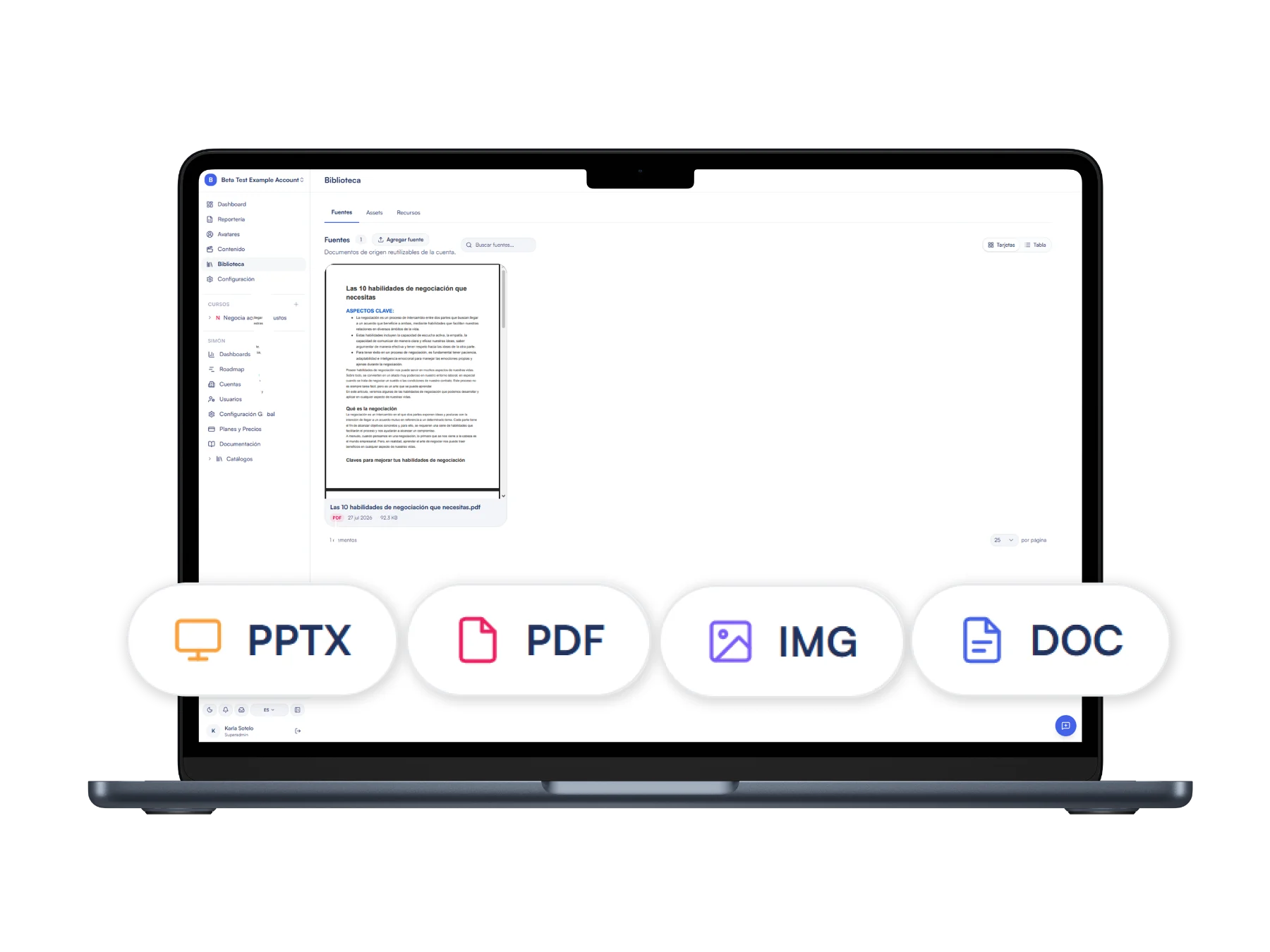
To turn manuals into training you don't need to reformat anything. Each file shows its status while Simón reads it, and if one fails, the course is generated from the rest.
- PDF, including long manuals with images
- Word (.docx) and PowerPoint (.pptx)
- Excel (.xlsx) and CSV, read as tables
- Images (.png, .jpg) and plain text
Instructional design included
A syllabus with a method, not a PDF summary
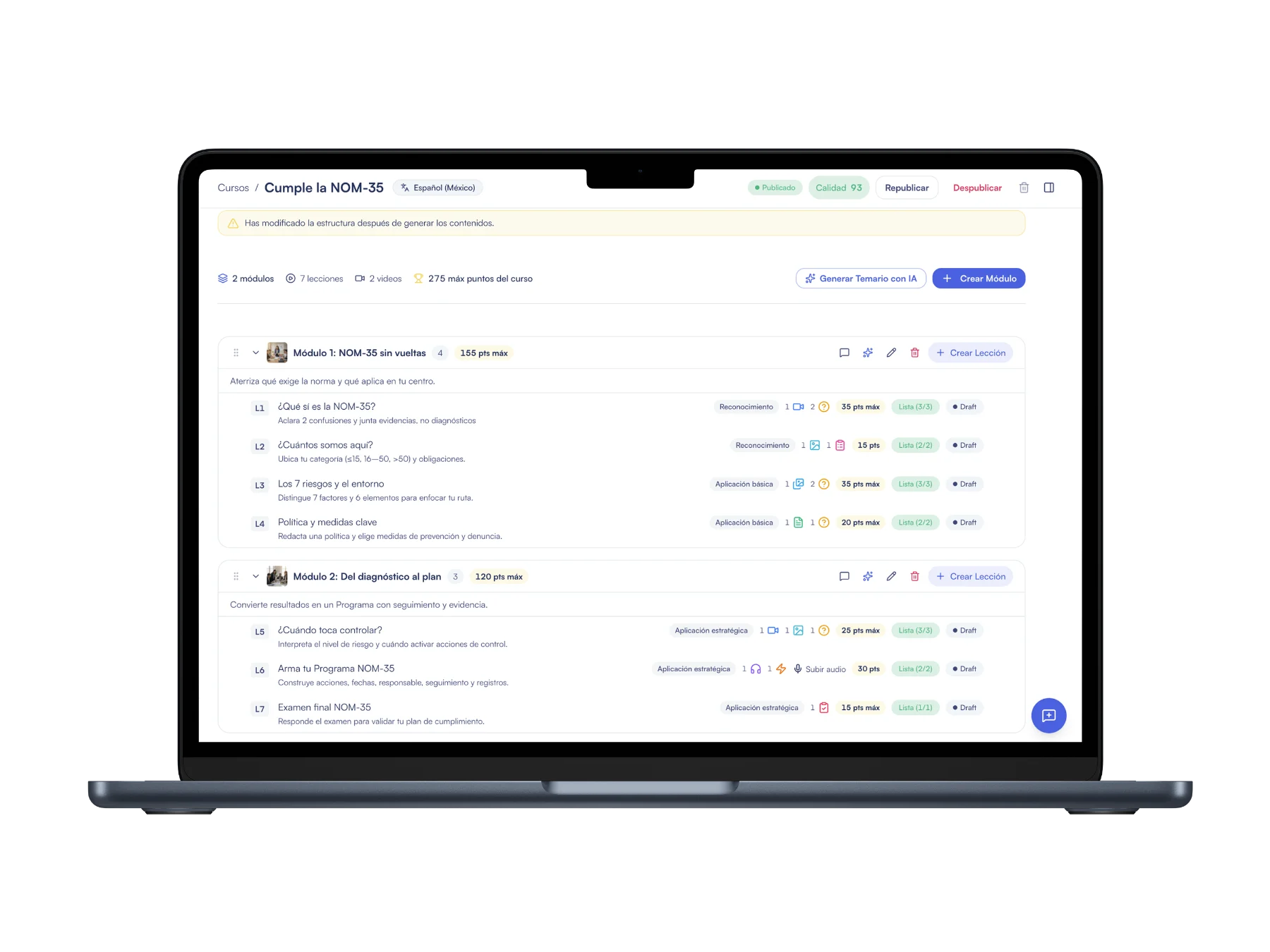
Generation starts from the learning objective (Backward Design) and follows the SAM model, with human approval at every stage. The course's skills come from a catalog of 15 core skills based on the World Economic Forum framework.
With Simón's pedagogical model, every lesson pairs a resource with an interaction that assesses it, and the course closes with an exam. If you prefer a different design, you turn it off and the AI uses exactly the content types and number of lessons you ask for.
- Cognitive level per lesson, based on Bloom's taxonomy
- One topic per lesson and assessment with a retry
- Quality score from 0 to 100 with 21 pedagogical rules
What your people see
The course reaches their phones in 60-to-90-second lessons
When you publish it, each person gets a notification and picks up where they left off, from the phone's browser and with nothing to install.
Good morning, Diana
4-day streak!
Come back tomorrow to reach 5 days
Continue with
Register · Module 2 of 4
Taking card and cash payments
2 of 4 modules
What Simón produces
Nine content types, ready for the phone
Building AI training courses for your company isn't generating a standalone video: every lesson combines resources and interactions.
Avatar video
You choose the avatar, voice and tone; Simón generates each scene with synced captions and assembles the video in vertical, horizontal or square format. You can create an avatar from a photo of your own people, in their uniform.
Video editor
Script and editing on one screen: you regenerate only the scene that changed, link b-roll or photos of your store, and add music and branded intro and outro cards. Simón's team can also direct each scene: angle, background, lighting and camera.
Infographics and carousels
Vertical infographics and carousels of 6 to 10 screens with your account's logo and palette.
Quizzes, exams and surveys
Single choice, multiple choice or open questions, with a hint after the second failed attempt; exams of 2 to 10 questions and surveys of up to 10.
Audio and documents
Audio with one to four voices and captions, and one- or two-page PDFs: guide, checklist, glossary or module summary.
Hands-on activities
A photo or voice note from the workplace, assessed against a rubric: well developed, partially correct or let's review it together.
Review and output
Review as a team and take the course wherever you need it
Course comments
Comments on a lesson, a script sentence or a specific second of the video, with @mentions. Each lesson moves from in progress to review to approved.
Quality score
It tells you what the course is missing, such as a final exam. It doesn't block: if you publish below 100, that decision is logged.
Add a module with AI
When new material arrives, you generate a module or a lesson from that file without touching what's already produced.
Export to PDF, Excel or SCORM
A PDF with your logo, the syllabus in Excel and SCORM 1.2 or 2004 packages for your LMS.
AI works with your material, it doesn't make things up
If a lesson doesn't have enough source material, generation tells you so instead of making up the content: what reaches your team comes from your manuals and your procedures.
And you don't start from scratch to make adjustments: you regenerate just that question or that clip, and the rest of the course stays as you approved it.
Frequently asked questions about AI courses
Can I turn a PDF into a course with AI?
Yes. You upload the PDF (or a Word, PowerPoint, Excel, CSV, image or text file), Simón proposes the syllabus and, once you approve it, writes the lessons. You can combine several files.
How long does it take to create a course with AI?
In under an hour you can have a complete course ready to publish. The syllabus takes about 5 minutes in the background; the rest depends on how extensive you need it to be.
What pedagogical backing do generated courses have?
They're based on Backward Design and the SAM model, with human approval at every stage, and they build skills from the World Economic Forum framework: one topic per lesson, short scripts and assessment with a retry.
How do you make a training video with an avatar?
You write or generate the script, choose the avatar, voice, tone and format, and Simón produces the video scene by scene with captions. If you change a scene, you regenerate only that one.
Can I bring the course into my LMS?
Yes, as a SCORM 1.2 or 2004 package. Your LMS can keep holding the formal, certifiable record while Simón handles daily reinforcement on the floor.
Keep exploring
Keep exploring the platform
Announcements with follow-up
Publish a standalone piece with a notification and know who saw it, by branch.
Access without an app or email
How your people sign in from the phone's browser with a phone number or employee ID and a PIN.
Reports by branch and area
Who finished, who understood on the first try and which topic to reinforce.
Simón for Training and L&D
Publish more content with the same team and show real completion by branch.
Simón vs AI video generators
Why a video is not a course, and what is missing after you generate it.







Bring a manual and leave with your first lesson
Book 30 minutes: we upload your material, review the syllabus Simón proposes together and you see the first lesson on your phone.
No card · Cancel anytime
Multi-country operation, bulk user onboarding or HR integration? We support you site by site.