
Access for frontline staff
Training without an app or corporate email
Your floor, route and branch staff sign in from the phone's browser with a phone number or employee ID and a PIN. Nothing to download, no computer needed and your brand on every screen.
Welcome to Simón
Employee ID
48213
PIN
••••
The short answer
How do you train employees without corporate email or a computer?
With an app nobody has to download. Simón works as a web app (PWA): each person opens a link or scans a QR code and signs in from the phone's browser. If they want, they add it to the home screen of their Android or iPhone and open it like any other app.
Access adapts to your people, not the other way around. For each company you choose whether they sign in with a phone number and PIN, an employee ID (or badge number, or whatever identifier you use) and PIN, an email and PIN, or an email and password. Nobody needs a company email to get in.
Everything works from the phone's browser, which is what promoters, temporary staff and branch teams need. And coming soon, native Android and iPhone apps will add full-course downloads to watch offline.
How your people sign in
Access configured per company
Phone or employee ID and a PIN
The PIN has 4 digits and locks temporarily after 5 failed attempts. With phone access you limit the accepted countries, and the country code is preselected when possible.
PIN recovery without calling support
Whoever forgets it gets a 6-digit code at the phone or email already on file and picks a new PIN. Nothing changes in their account until they verify the code.
Open or closed registration
Closed: only people your team added can sign in, one by one or with an Excel file of up to 1,000 people. Open: each person signs up from their area's link or QR code and is placed there.
Your subdomain and your brand
Your app lives at yourcompany.holasimon.app with your logo, colors, fonts and icon when it's installed on the home screen.
Workspaces by country or audience
Each workspace can have its own brand, access type and registration, and installs as its own app: a different country, brand or channel in each one.
SSO for those who have it
If your company uses an identity provider, your people sign in with SAML 2.0 or OIDC from the same sign-in screen and, if you enable it, their account is created on first sign-in.
With a weak signal
Progress is saved even if the signal drops
When the phone loses signal, the app lets the person know with a banner. What they complete offline is saved on their phone and sent when the signal returns, only once and without duplicating points.
Good morning, Diana
Offline
Your progress is saved and sent when the signal returns.
Continue with
Onboarding · Module 2 of 3
Closing the register in 5 steps
2 of 3 modules
Training on the phone
Lessons that fit between one customer and the next
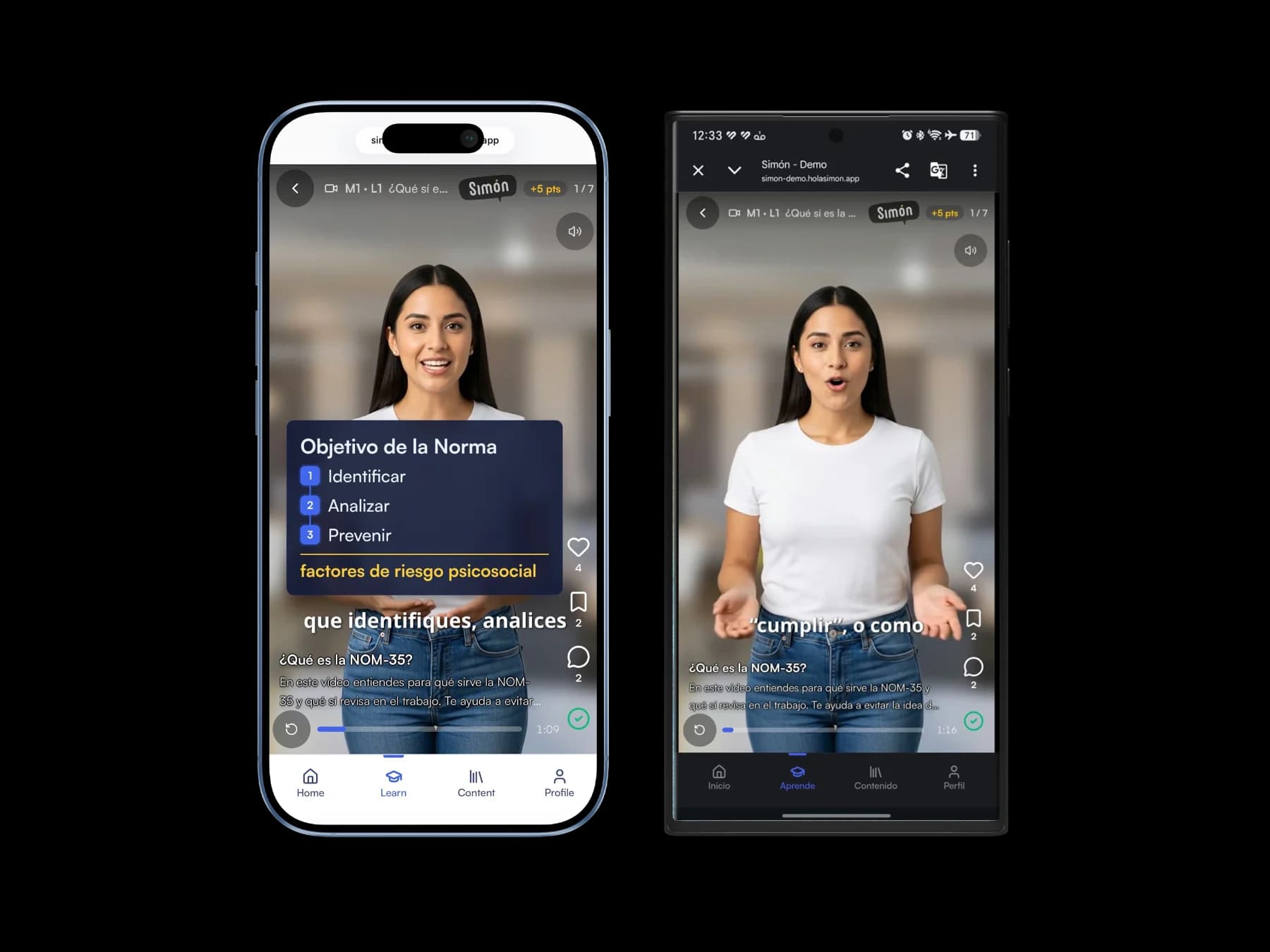
Each lesson lasts 60 to 90 seconds and is swiped through like a vertical feed: video, audio with captions, document, carousel, infographic, quiz, survey, exam or activity.
The app uses your company's language (Spanish, English or Portuguese) from the sign-in screen, and each person can change it in their profile.
- Sign in from a link or QR code, no app store
- Install it on the home screen with one tap
- Short, compressed video for slow networks
Frequently asked questions about access
Do my employees have to download an app?
No. Simón works as a PWA, straight from the phone's browser, and can be installed on the home screen without going through an app store. Coming soon, native Android and iPhone apps will let people download whole courses to watch offline.
How do I train workers who have no computer or corporate email?
You set up access with a phone number or employee ID and a 4-digit PIN. You add them with an Excel file or share their area's link or QR code so they sign up themselves, and they take the lessons on their phones.
What happens if someone forgets their PIN?
They recover it from the app: they get a verification code at the phone or email already on their record and choose a new PIN. If they have neither on record, the screen tells them to contact their administrator.
Does it work on shared phones?
Yes. Each person signs in with their own identifier and PIN, and on sign-in the app clears the data of whoever used it before. If someone signs out with unsent progress, the app warns them before leaving.
Can we use our company SSO?
Yes, with SAML 2.0 or OIDC, and it coexists with PIN access for people without a corporate account. Integrations such as SSO and APIs are part of Enterprise, quoted by sales.
Keep exploring
Keep exploring the platform
AI courses
Turn your manuals and PDFs into micro-lessons with video, infographics and quizzes.
Reports by branch and area
Who finished, who understood on the first try and which topic to reinforce.
Simón for field sales
Your sales force and channel learn the month's pitch without leaving their route.
Simón vs Humand
Internal communication app or training platform: what each one solves.







See how your team would sign in
Book 30 minutes and we'll show you access by phone number or employee ID, with your brand, from any phone.
No card · Cancel anytime
Multi-country operation, bulk user onboarding or HR integration? We support you site by site.